In today’s hyper-connected world, your IP address is like your digital fingerprint — it identifies your device on the internet, connects you to online services, and even reveals your approximate location. But if you’ve ever asked, “Whats my IP address, and why does it matter?”, you’re not alone.
Whether you’re troubleshooting a network issue, using a VPN, or simply curious about your online identity, understanding your IP address is essential for protecting your privacy and improving your browsing experience. Let’s dive deep into what your IP address really means, how to find it, and how to secure it in an age of growing online risks.
What Is an IP Address?
IP stands for Internet Protocol — the language that devices use to communicate over a network.
An IP address (like 192.168.0.1) is a unique numerical label assigned to each device connected to the internet or a local network. Think of it as your digital home address — it tells other systems where to send information.
Types of IP Addresses
There are two main versions of IP addresses in use today:
- IPv4 (Internet Protocol version 4)
- Example:
192.0.2.1 - The older format consisting of four sets of numbers (0–255).
- Total of about 4.3 billion unique addresses.
- Example:
- IPv6 (Internet Protocol version 6)
- Example:
2001:0db8:85a3:0000:0000:8a2e:0370:7334 - Created to overcome IPv4 limitations.
- Offers virtually unlimited unique addresses with enhanced efficiency and security features.
- Example:
Why Knowing Your IP Address Matters
You might wonder — why should I even care about my IP address? Isn’t it just a technical detail?
In reality, your IP address plays a major role in your online experience — from location tracking to cybersecurity.
Here’s why it’s important:
1. It Reveals Your Location
While it doesn’t expose your exact street address, your IP address can show your city, country, and ISP (Internet Service Provider). That’s how websites customize content for your region — or how hackers might try to target your area.
2. It Affects What You Can Access
Streaming platforms, websites, and search engines use IP-based geo-restrictions. For example:
- Netflix and YouTube show different libraries depending on your region.
- Some websites block visitors from specific countries.
Knowing your IP — and how to change it — can help you access the internet freely.
3. It Helps Diagnose Network Problems
Network administrators often use IP addresses to troubleshoot slow connections, DNS issues, or conflicts in local networks.
4. It Protects Your Online Identity
Your IP address is the first thing visible when you go online. Hiding or masking it using a VPN (Virtual Private Network) adds an extra layer of privacy, preventing websites, advertisers, and trackers from profiling you.
How to Find Your IP Address (Step-by-Step)
Finding your IP address takes just a few seconds — here’s how:
For Public (External) IP:
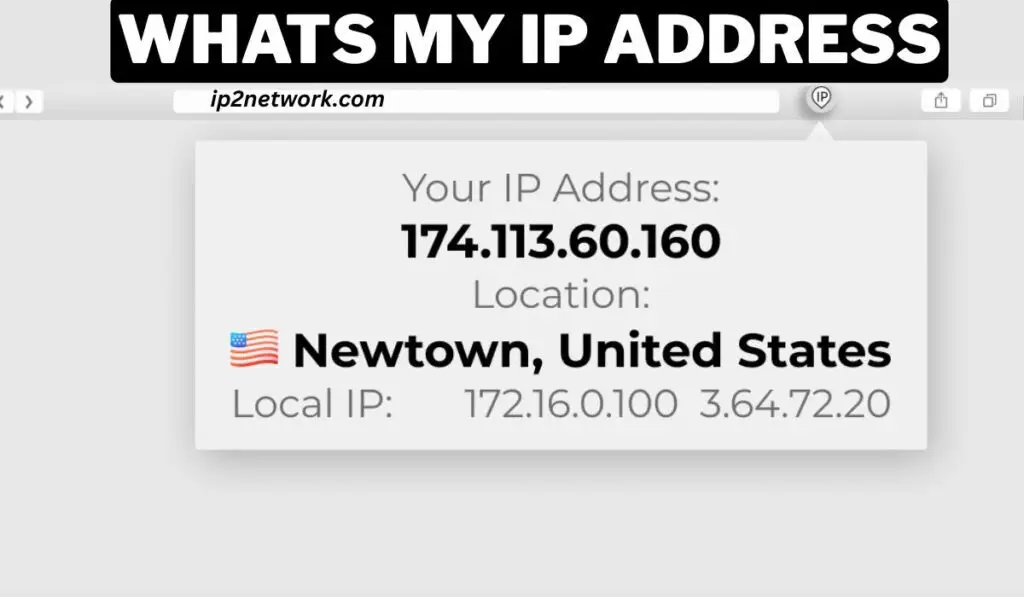
- Visit trusted sites like ip2network.com or search “Whats my IP address” on Google.
- Your public IP will appear instantly at the top of the search results.
For Local (Internal) IP:
If you’re on a home or office Wi-Fi network, your internal IP identifies your device within that network.
- On Windows:
- Press
Win + R, typecmd, and press Enter. - Type
ipconfigand press Enter. - Look for IPv4 Address under your network adapter.
- Press
- On macOS:
- Go to System Settings → Network → Wi-Fi (or Ethernet).
- Click Details, then find your IP under TCP/IP.
- On iPhone or Android:
Go to Settings → Wi-Fi → (Your Network) and scroll down to see your IP.
Public vs. Private IP: What’s the Difference?
| Type | Description | Example | Visibility |
|---|---|---|---|
| Public IP | Assigned by your ISP, visible on the internet | 203.0.113.25 | Anyone online can see it |
| Private IP | Used inside your home or local network | 192.168.1.1 | Only visible to devices on the same network |
Most users have both — a private IP for their device and a public IP assigned to their router.
Dynamic vs. Static IP Addresses
When your ISP gives you an IP, it can be dynamic (changes over time) or static (stays the same).
Dynamic IP
- Changes automatically each time you reconnect.
- Used by most home internet users.
- More private and cost-effective.
Static IP
- Remains the same permanently.
- Used by businesses, servers, and remote connections.
- Easier for hosting websites or email servers but less private.
Can Someone Track Me by My IP Address?
This is one of the top questions people ask and the answer is partially.
Your IP reveals your approximate location and ISP, but not your exact home address or identity. However, combined with other data (cookies, account info, or trackers), it can be used for targeted advertising or even cyberattacks.
That’s why cybersecurity experts recommend masking your IP when browsing.
How to Hide or Change Your IP Address
Here are the safest and most effective ways to protect your IP online:
1. Use a VPN (Virtual Private Network)
A VPN hides your real IP address by routing your internet connection through a secure, encrypted server.
- Protects your identity.
- Bypasses geo-blocks and censorship.
- Encrypts your browsing data.
Example: Tools like IP2Network VPN offer fast, reliable, and secure IP masking for global users.
2. Use a Proxy Server
A proxy acts as a middleman between you and the internet. However, unlike VPNs, proxies don’t encrypt your data — making them less secure.
3. Connect via Mobile Data
Switching from Wi-Fi to mobile data changes your public IP, offering temporary anonymity.
4. Use Tor Browser
The Tor network routes your traffic through multiple volunteer servers, making it nearly impossible to trace — but it may slow down your connection.
IP Addresses and Online Privacy in 2025
With increasing data surveillance, your IP is more than a number — it’s a gateway to your online footprint.
Modern websites, advertisers, and even AI tools use IP-based analytics to track user behavior.
That’s why digital privacy tools like VPNs are becoming essential for everyday internet users — not just tech experts.
For example, using IP2Network VPN, you can:
- Hide your real IP and stay anonymous.
- Access blocked sites safely.
- Secure your browsing with AES-256 encryption.
In short: knowing your IP isn’t just about curiosity — it’s about taking control of your digital identity.
Key Takeaways
- Your IP address identifies your device on the internet.
- It can reveal your approximate location and ISP.
- You can find your IP easily using tools like ip2network.com.
- Always use VPNs or proxies to protect your privacy.
- Understanding IP helps you stay secure, private, and unrestricted online.
Final Thoughts
As we move deeper into the digital age, your IP address becomes more important than ever — not just as a technical identifier, but as a core part of your online privacy and security.
Next time you ask, “Whats my IP address?”, remember — it’s more than just a number. It’s your online fingerprint. Protect it wisely.
Common Questions About “Whats My IP Address”
Q1. Does restarting my router change my IP address?
Yes, in most cases — especially if you have a dynamic IP. Restarting forces your ISP to assign a new one.
Q2. Is my IP address the same on every device?
No. Each device on your home network has a unique private IP, but they share the same public IP (assigned to your router).
Q3. Can my IP address be hacked?
Hackers can’t “hack” your IP directly, but they can use it to find vulnerabilities if your network isn’t secure. Using a VPN or firewall helps prevent this.
Q4. How often does my IP change?
It depends on your ISP. Some change every few hours, while others remain constant for days or weeks.
Q5. What happens if someone knows my IP?
They can estimate your location, but not your personal details. Still, always protect your IP to prevent misuse.