Have you ever wondered “What is my IP address USA?” Whether you’re trying to check your location online, troubleshoot internet issues, or understand your privacy exposure, your IP address plays a vital role. It’s your digital fingerprint — the unique number that identifies your device every time you connect to the internet.
In today’s connected world, understanding your IP address isn’t just for tech experts. It affects your online privacy, streaming access, website security, and even your online shopping experience. Let’s dive deep into what an IP address really is, how to find yours in the USA, and how to protect it from unwanted exposure.
What Is an IP Address?
An IP address (Internet Protocol address) is a unique numerical label assigned to every device connected to the internet. Think of it as your digital home address — it tells websites and online services where to send data.
For example:
- IPv4 address: 192.168.0.1
- IPv6 address: 2607:f8b0:4005:805::200e
These numbers may look random, but they follow specific protocols that allow the global internet to function smoothly.
Types of IP Addresses in the USA
In the United States, internet users are assigned one of several types of IP addresses. Each type serves a unique purpose.
1. Public IP Address
Your public IP is assigned by your Internet Service Provider (ISP) — like Comcast, AT&T, or Spectrum. It’s visible to the outside world and identifies your internet connection.
2. Private IP Address
Private IP addresses are used within local networks, like your home Wi-Fi. Devices like your phone, printer, and smart TV have private IPs that help them communicate with your router.
3. Dynamic IP Address
Most home users in the USA have dynamic IPs, meaning your ISP can change your IP address periodically. It’s cost-efficient and adds a layer of privacy.
4. Static IP Address
Businesses often use static IPs that never change — useful for hosting servers, websites, or remote access systems.
5. IPv4 vs. IPv6
- IPv4: Older, limited to about 4.3 billion addresses.
- IPv6: Newer version with almost unlimited combinations, improving security and efficiency.
How to Check “What Is My IP Address USA”
You don’t need technical skills to find your IP address. Here are simple methods anyone can use:
1. Use Google or Bing
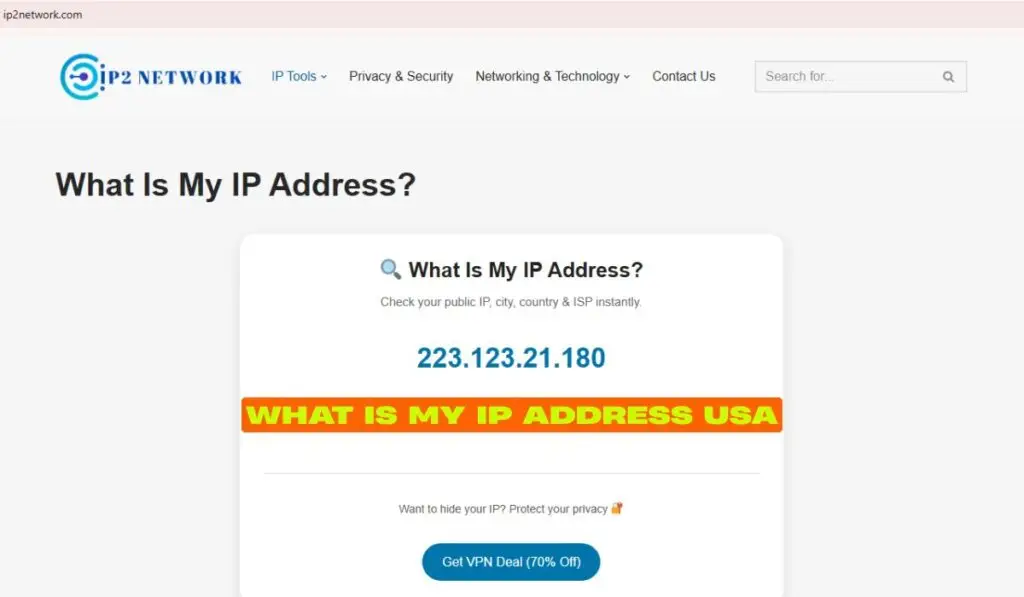
Just type “What is my IP address” into Google or Bing. The search engine instantly displays your public IP at the top of results.
2. Visit IP Lookup Websites
Trusted sites like:
- ip2network.com
- whatismyip.com
- iplocation.net
These tools show your IP address, ISP, city, and approximate location in the USA.
3. Through Your Computer Settings
- Windows:
Open Command Prompt → Typeipconfig→ Press Enter. - Mac:
Go to System Preferences > Network → Select your active network → View “IP Address”.
4. On Mobile (iOS & Android)
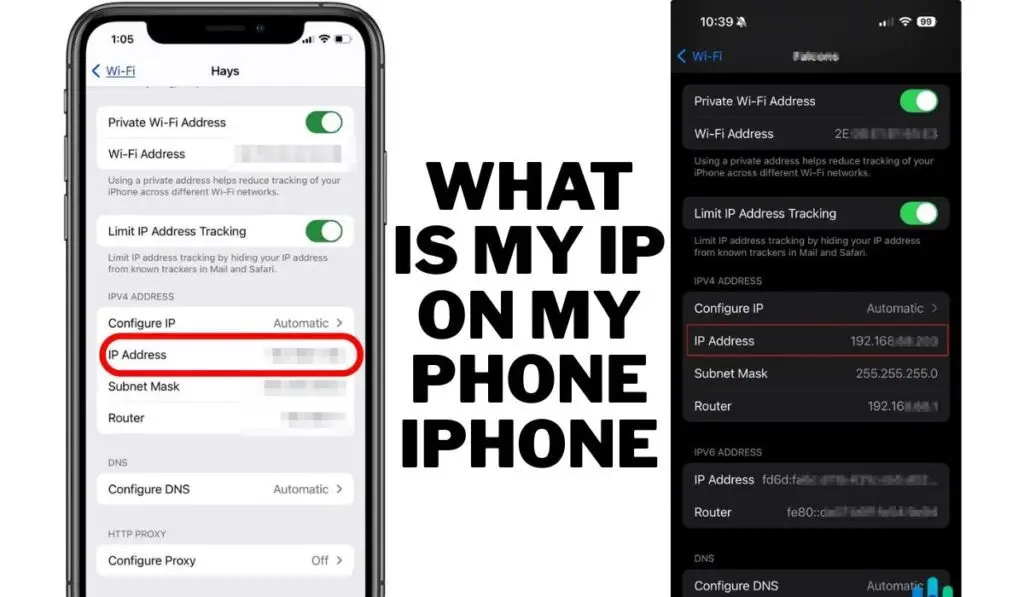
- iPhone: Settings → Wi-Fi → Tap the “i” icon next to your network.
- Android: Settings → Network & Internet → Wi-Fi → Tap your network → See IP details.
What Your IP Address Reveals About You
Most users are surprised at how much data a simple IP address can reveal:
- Approximate Location: Your city, region, or ZIP code in the USA.
- Internet Service Provider (ISP): Who provides your connection.
- Device Type: Whether you’re on mobile or desktop.
- Browsing History (Indirectly): Websites track visits using your IP.
Your IP doesn’t directly reveal your exact home address, but combined with other tracking technologies, advertisers or cybercriminals can build a detailed profile of your online behavior.
Why Knowing Your IP Address Matters
1. Troubleshooting Internet Issues
Checking your IP helps diagnose network problems, especially if you can’t connect to the internet or remote servers.
2. Setting Up Smart Devices
Many smart home devices require local IPs for setup and communication.
3. Online Privacy & Security
Hackers can exploit exposed IPs. Knowing your IP helps you monitor unusual network activity.
4. Bypassing Geo-Restrictions
Many U.S. users check their IP when streaming or gaming — to ensure they appear from the correct region for content access.
5. Website Management
If you manage a U.S.-based website or server, static IPs help maintain stable access and DNS configurations.
How to Protect Your IP Address in the USA
Your IP is like your online ID card. Here’s how to keep it safe:
1. Use a VPN (Virtual Private Network)
A VPN masks your real IP address by routing traffic through a secure server. For example:
- ExpressVPN
- NordVPN
- Surfshark
With a VPN, your online identity appears as if you’re browsing from another U.S. city or country.
2. Use a Proxy Server
A proxy acts as a middleman between your device and the web. It hides your IP but is less secure than a VPN.
3. Enable Firewall & Antivirus
Firewalls monitor incoming and outgoing connections to block unauthorized access.
4. Avoid Public Wi-Fi Without Protection
Public Wi-Fi networks often expose your IP. Always use a VPN or mobile data on unsecured networks.
5. Change Your IP Address Manually
You can request a new IP from your ISP or reset your router to get a new dynamic address.
Common Myths About IP Addresses
Myth 1: IP Reveals Your Exact Address
False. It only shows your approximate area or city — not your specific location.
Myth 2: IPs Are Always Permanent
Wrong. Most U.S. users have dynamic IPs that change periodically.
Myth 3: VPNs Are Illegal
Not true in the USA. VPNs are perfectly legal for privacy, though using them for illegal activities is not.
Myth 4: Only Hackers Care About IPs
Every internet user should. Your IP affects streaming, ads, gaming, and online safety.
What Is My IP Address USA for Business Users?
Businesses rely on IP addresses for more advanced operations:
- Remote Access: Secure logins for employees.
- Email Hosting: Reliable mail delivery and reputation.
- Server Hosting: Dedicated static IPs for websites.
- Cybersecurity: Monitoring IP logs helps detect intrusions or suspicious traffic.
If your U.S. business handles sensitive data, it’s crucial to secure your IP infrastructure using firewalls, VPNs, and access control.
How IP Addresses Are Assigned in the USA
In the United States, IP addresses are distributed by ARIN — the American Registry for Internet Numbers. ISPs like Verizon, Cox, and Charter receive large IP blocks from ARIN, then allocate them to customers.
Fun Fact:
Major U.S. companies like Google, Microsoft, and Amazon own millions of IP addresses — powering their data centers and cloud services.
Can You Change Your IP Address in the USA?
Absolutely. You can change your IP in several ways:
- Restart your router (for dynamic IPs).
- Use a VPN to switch locations instantly.
- Contact your ISP to assign a new static IP.
- Use mobile data to temporarily change your IP network.
Changing IPs can help if you’re blocked from a site, banned from a game, or troubleshooting location issues.
What Happens If Someone Knows Your IP Address?
In most cases, nothing serious. However, if malicious users have your IP, they could attempt:
- DDoS attacks (flooding your network).
- Geo-tracking or ISP-based targeting.
- Spam or hacking attempts.
That’s why security professionals recommend using VPNs and keeping systems updated.
When Should You Check Your IP Address?
Check your IP regularly if you:
- Use VPNs or proxies (to confirm masking).
- Access geo-restricted platforms (Netflix, Hulu, etc.).
- Manage servers or websites.
- Experience internet slowdowns or connection errors.
The Future of IP Addresses in the USA (2025 and Beyond)
With the ongoing shift to IPv6, the U.S. is leading the world in adopting next-generation IP standards. IPv6 improves:
- Speed and reliability
- Security through encryption
- Support for billions of smart devices
As 5G and IoT continue to expand, understanding your IP address will become even more essential for digital security and connectivity.
Conclusion: Why You Should Know Your IP Address USA
Your IP address is more than just a number — it’s your digital identity in the online world. Whether for privacy, troubleshooting, or professional reasons, understanding and managing your IP helps you stay secure and connected.
By knowing “What is my IP address USA”, you take the first step toward controlling your online presence, protecting your data, and ensuring smooth digital experiences in an increasingly connected era.
Top 5 FAQs About “What Is My IP Address USA”
1. What does my IP address say about me?
It shows your general location (city or region), ISP, and device type — but not your exact home address.
2. How do I hide my IP address in the USA?
Use a VPN or proxy server to mask your IP and browse privately.
3. Can my IP address be traced by someone?
Yes, but only to your approximate location or ISP — not your personal details without legal access.
4. Is it safe to share my IP address?
Generally, yes. But avoid exposing it publicly (e.g., in forums or games) to reduce hacking risks.
5. Why does my IP address keep changing?
Because most ISPs use dynamic IPs that automatically refresh to manage network traffic efficiently.