In today’s digital world, every device connected to the internet — your phone, laptop, smart TV, or even your Wi-Fi router — has an IP address. But not all IPs are the same. The debate of public vs private IP is one that confuses many users, even those who use the internet daily.
So, what’s the difference between a public IP and a private IP? Why does it matter? And how does it affect your online experience, privacy, and security?
In this comprehensive guide, we’ll break down everything you need to know — in plain English. You’ll discover not just what these IPs are, but how they’re used, why they exist, and how they impact your connection every time you go online.
What Is an IP Address, and Why Is It Important?
Before diving into public vs private IP, let’s get the basics straight.
An IP (Internet Protocol) address is a unique numerical label assigned to every device connected to a network. It works much like a postal address — it helps identify where data should be sent and received.
For example:
- When you open a website, your computer sends a request from your IP address to that website’s server IP.
- The server responds, and the website loads on your screen.
Without IP addresses, this communication simply wouldn’t be possible.
There are two main types of IP versions in use today: IPv4 (e.g., 192.168.1.1) and IPv6 (e.g., 2400:cb00:2048:1::c629:d7a2). Both can have public or private ranges, but our focus here is on how public and private IPs differ in purpose and behavior.
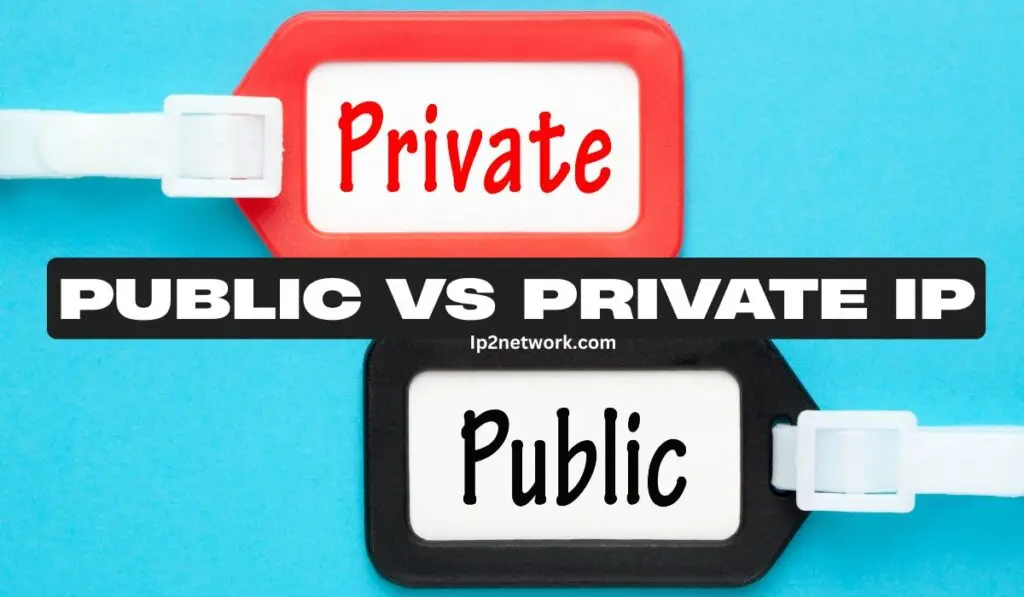
Public vs Private IP: The Core Difference
At a glance, the main difference is visibility and accessibility.
| Feature | Public IP | Private IP |
|---|---|---|
| Visibility | Visible to the internet | Only visible within a local network |
| Assigned by | Internet Service Provider (ISP) | Router or local network device |
| Purpose | Identifies your network on the internet | Identifies devices within a private network |
| Example | 8.8.8.8 (Google DNS) | 192.168.0.1 or 10.0.0.2 |
| Security | More exposed to online threats | Protected behind NAT/firewall |
| Uniqueness | Globally unique | Can repeat across different networks |
What Is a Public IP Address?
A public IP address is the one assigned by your Internet Service Provider (ISP). It’s the address that represents your entire network on the internet.
Think of it as your home’s front door. It’s how the outside world (other servers and users) identifies your network.
Example
If you Google “What’s my IP?”, the number you see — something like 103.25.120.7 — is your public IP.
How Public IP Works
Your ISP assigns you a unique public IP so data can reach your router. Inside your network, your router uses Network Address Translation (NAT) to distribute internet access to multiple private devices like phones or laptops.
This way, even though you have only one public IP, multiple devices can still connect to the internet at the same time.
What Is a Private IP Address?
A private IP address is used within your local network — the one managed by your router. Every device connected to your Wi-Fi gets a private IP like 192.168.1.5 or 10.0.0.7.
These IPs are not visible to the public internet. Instead, they help devices in your local network communicate with each other.
Example
- Your phone might have 192.168.1.4
- Your laptop might have 192.168.1.5
- Your printer might have 192.168.1.6
All of them connect through your router, which bridges your private network to the public internet.
Why Do We Need Private IP Addresses?
The main reason is IPv4 address shortage. There are only about 4.3 billion IPv4 addresses, and the internet has billions of devices — far more than that.
Private IP ranges (like 192.168.x.x or 10.x.x.x) allow many devices to share a single public IP using NAT.
Private IPs also:
- Enhance security by keeping devices hidden from the internet.
- Simplify internal communication between devices (like connecting a phone to a printer).
- Reduce ISP dependency, since internal IPs are self-managed by your router.
How to Check Your Public and Private IP Address
To find your Public IP:
- Visit sites like whatismyip.com or ip2network.com
- Or simply search “What’s my IP” on Google.
To find your Private IP:
- Windows: Open Command Prompt → Type
ipconfig→ Look for “IPv4 Address”. - Mac: Go to System Preferences → Network → Advanced → TCP/IP tab.
- Mobile: In Wi-Fi settings, tap the connected network → Details → IP Address.
When Is a Public IP Used?
Public IPs are used whenever your device or server needs to be directly reachable from the internet.
Examples:
- Hosting a website or game server
- Running a remote access service (like a VPN or FTP server)
- Video conferencing or VoIP services
In these cases, your device must have a public IP to communicate directly with external users.
When Is a Private IP Used?
Private IPs are used for devices that don’t need direct internet exposure.
Examples:
- Computers on a home or office LAN
- Smart TVs, printers, or IoT devices connected to Wi-Fi
- Internal databases or file servers
They communicate internally, while your router manages their internet connection via the public IP.
Why Public IPs Are More Vulnerable
Because public IPs are exposed to the entire internet, they’re at a higher risk of cyberattacks like:
- Port scanning
- DDoS (Distributed Denial of Service)
- Unauthorized access attempts
For this reason, firewalls, VPNs, and secure router configurations are critical to protect networks that rely on public IPs.
Why Private IPs Are More Secure
Private IPs stay hidden behind NAT, meaning they aren’t directly accessible from outside your network.
This natural isolation makes them safer, though it doesn’t replace good cybersecurity practices like using strong Wi-Fi passwords and encryption.
Dynamic vs Static Public IP: What’s the Difference?
Not all public IPs are permanent.
- Dynamic IP: Changes periodically (assigned by your ISP using DHCP). Common for home internet users.
- Static IP: Remains fixed. Used by businesses for hosting servers or websites.
Example
A company hosting an email server or VPN would need a static public IP to ensure consistent connectivity.
Can a Private IP Become Public?
Not directly. However, your router acts as a gateway — using NAT — to map private IPs to your public one.
So, when you send a request online (like opening a website), it appears as if it came from your public IP, even though the original request came from your private IP inside your network.
Common Misconceptions About Public vs Private IP
- “Private IPs are not real IPs.”
False — they are just local, non-routable addresses. - “You can access private IPs over the internet.”
Wrong — they’re blocked by routers and firewalls outside your local network. - “Public IPs guarantee faster speed.”
Not necessarily — your speed depends on your connection, not your IP type. - “Private IPs mean no internet access.”
Not true — private IP devices connect through NAT to reach the internet.
Advantages and Disadvantages
Public IP – Pros
- Global accessibility
- Supports hosting services
- Direct communication with external users
Public IP – Cons
- Higher security risks
- Often costs extra from ISPs
- Needs protection via firewall/VPN
Private IP – Pros
- Enhanced security
- Conserves global IP addresses
- Easier local management
Private IP – Cons
- Not directly accessible from the internet
- Requires NAT for external communication
How Public and Private IPs Work Together
The beauty of modern networking lies in the balance between the two.
Your router uses a public IP to connect to the internet, while assigning private IPs to your devices. When you open a webpage, NAT translates your private IP’s request into your public IP and routes the response back.
It’s a seamless process — invisible to users, but essential to making the internet scalable and secure.
Real-World Example
Imagine your home network like an office building:
- Each room (device) has its private number (private IP).
- The front desk (router) has a public phone number (public IP).
- When someone from outside calls, it goes through the front desk — which then connects them to the right room.
That’s exactly how your router manages communication between private and public IPs.
Conclusion: Why Understanding Public vs Private IP Matters
In short, public IPs connect your network to the world, while private IPs organize and protect your devices within that network.
Knowing how they work helps you:
- Troubleshoot network issues
- Strengthen your online privacy
- Set up secure servers or home networks
Whether you’re running a business server or streaming on your phone, both IP types are vital pieces of the internet puzzle — working together to keep your data flowing smoothly and safely.
FAQs About Public vs Private IP
1. How do I know if my IP is public or private?
If it starts with 10., 172.16–31, or 192.168., it’s private. Anything else is likely a public IP.
2. Can I change my public IP address?
Yes. Restarting your router often changes your public IP (if it’s dynamic). For a fixed one, ask your ISP for a static IP.
3. Why does my phone have a private IP on Wi-Fi?
Because it connects through your router’s local network. The router then uses its public IP to communicate online.
4. Is it safe to share my public IP?
Generally, yes — but exposing it publicly can make you a target for attacks. Use VPNs or firewalls for safety.
5. Do VPNs change my public IP?
Yes. VPNs mask your real public IP with one from a different server or location, enhancing privacy and security.